A comprehensive in-app notification system, designed from scratch — and re-scoped into a version that could actually ship.
J.Hilburn's stylists run a business — clients, orders, inventory, their own rank and earnings — but the app gave them no way to see what was happening across it. A client viewed a style, an order shipped, a product sold out, they hit a new rank: all of it was invisible.
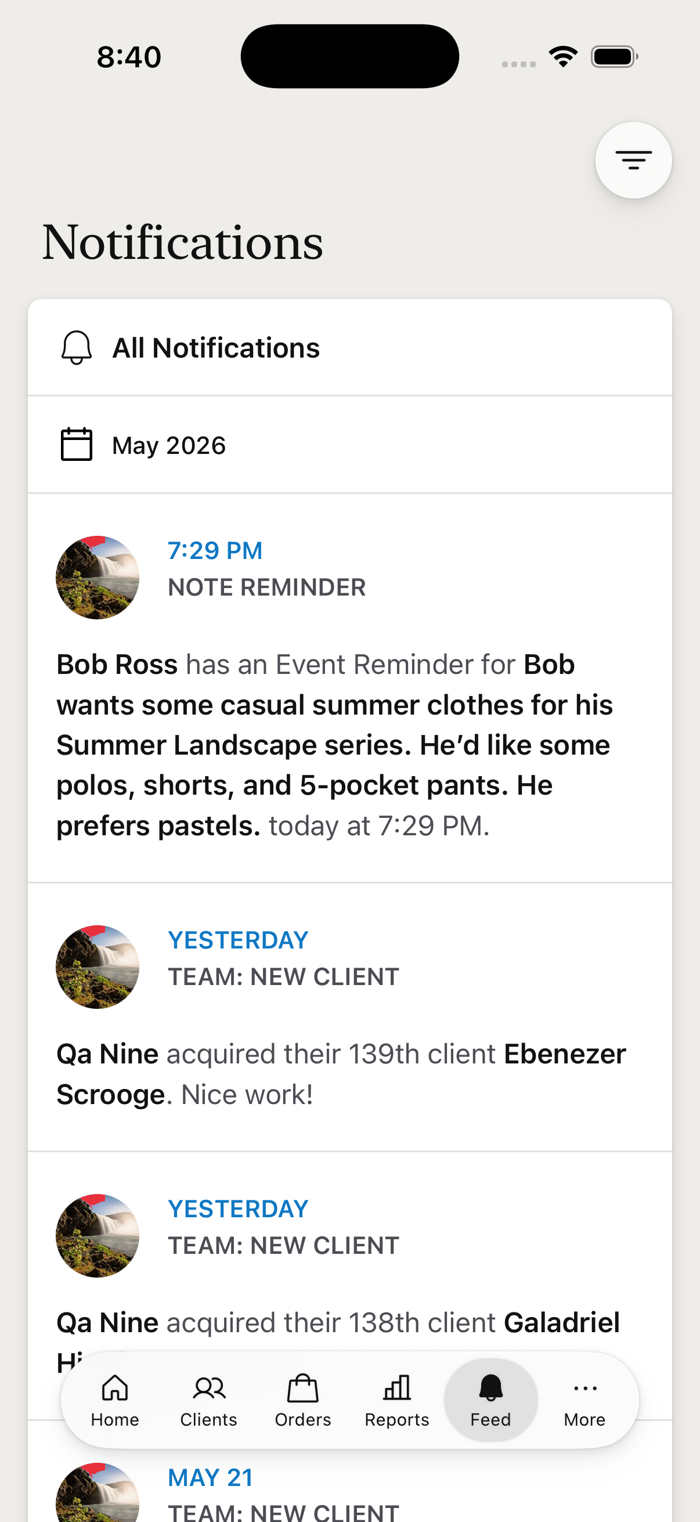
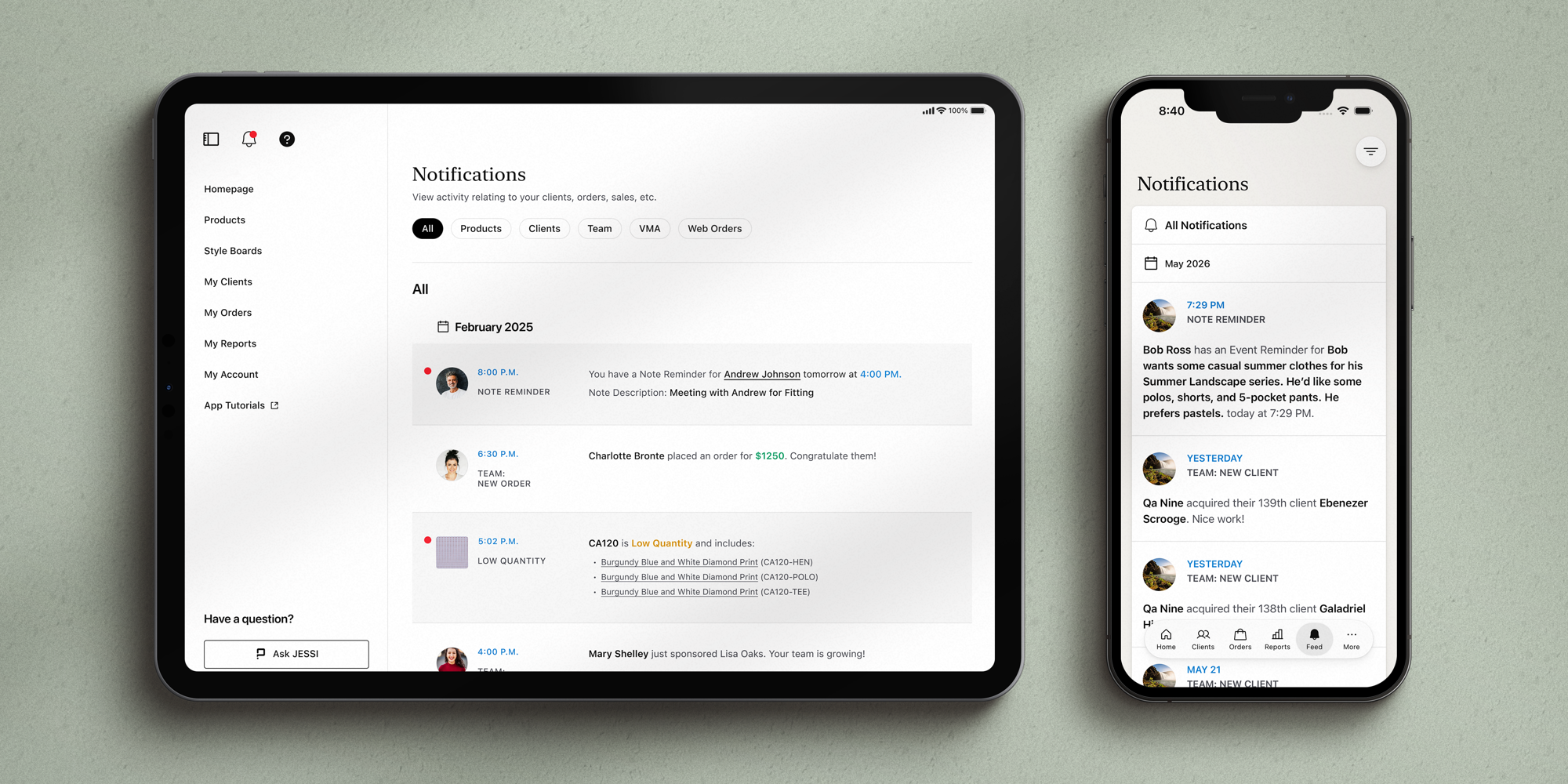
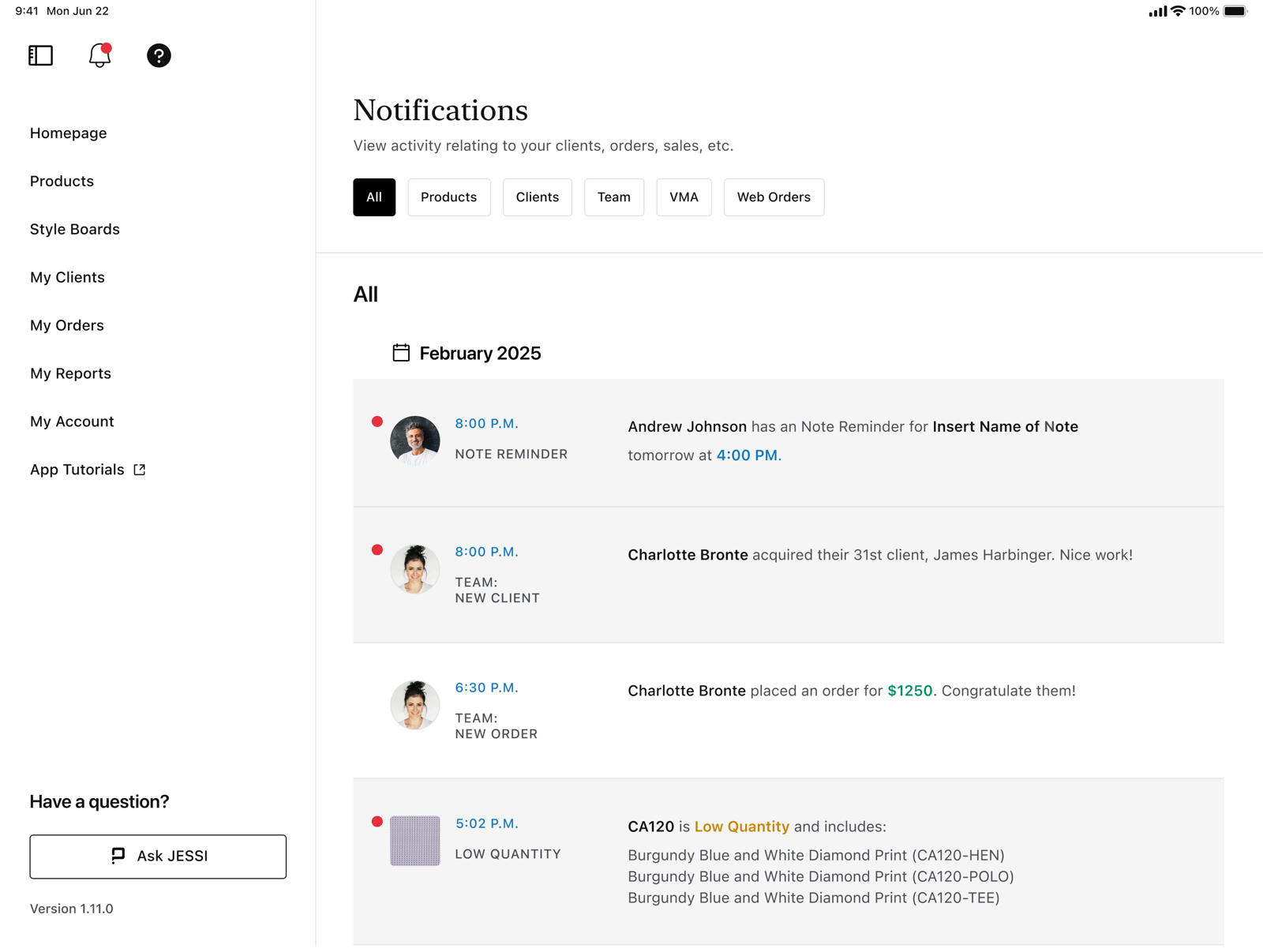
I designed a notification system from the ground up to surface it — the bell in the top nav, a single notification center, every category and type behind it, and the states most teams skip. It runs on both the stylist's iPad and iPhone.
The first version went big: eight categories, granular preferences, a “Go to Resolution” action on every notification. When it proved more than engineering could build, I didn't hand it back — I re-scoped it into V2, the same system shaped to what the team could ship. And it shipped.
I designed the system. When the team couldn't build it, I designed the one they could — and it shipped.
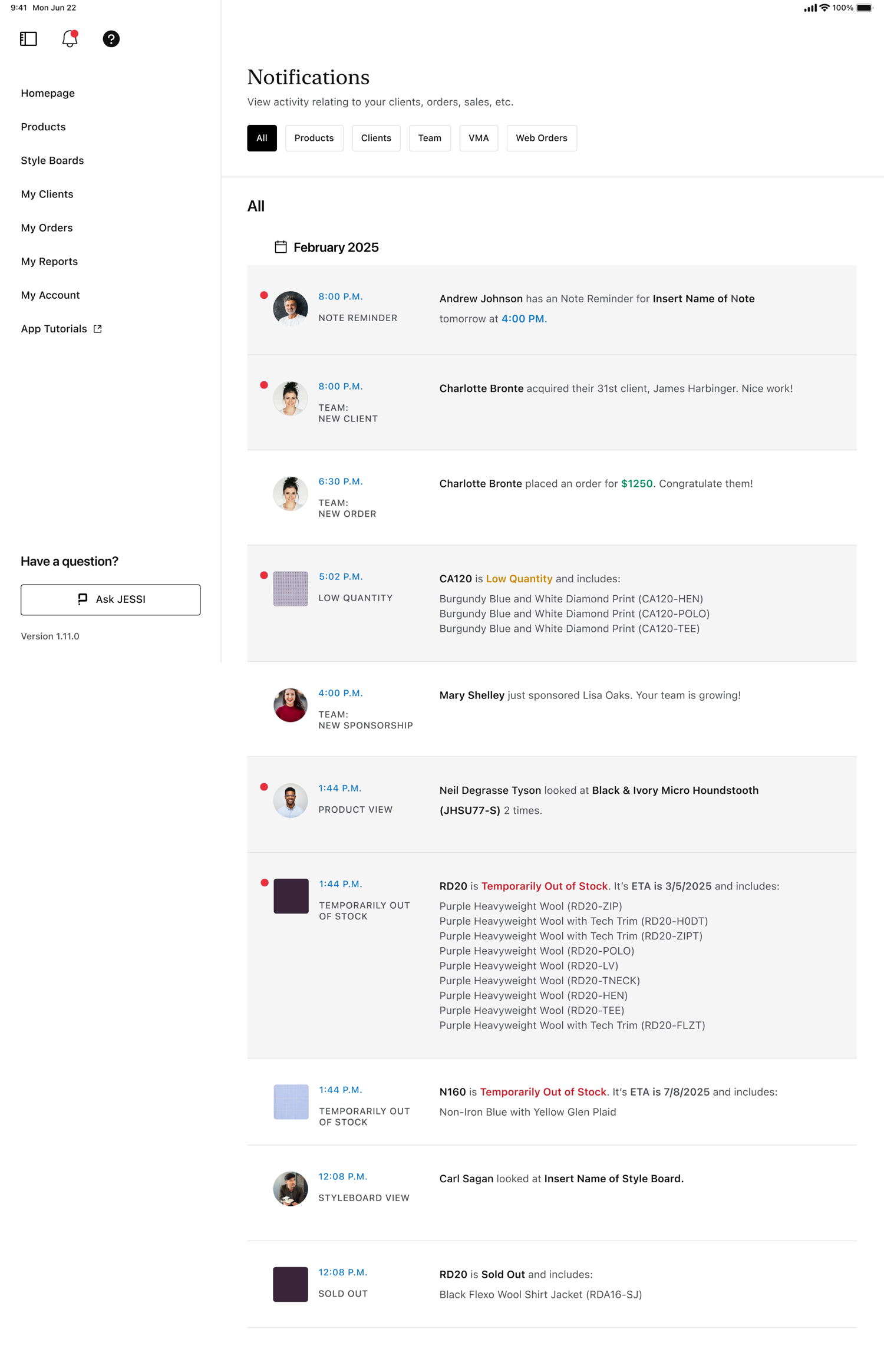
Everything reaches the stylist through the bell in the top nav and lands in one center, grouped by category — All, Clients, Product, Team, VMA, and Web Orders. The same system runs on the iPad at the desk and the iPhone in their hand.


The notification center — iPad and iPhone.

The full feed — scroll through a stylist's day.
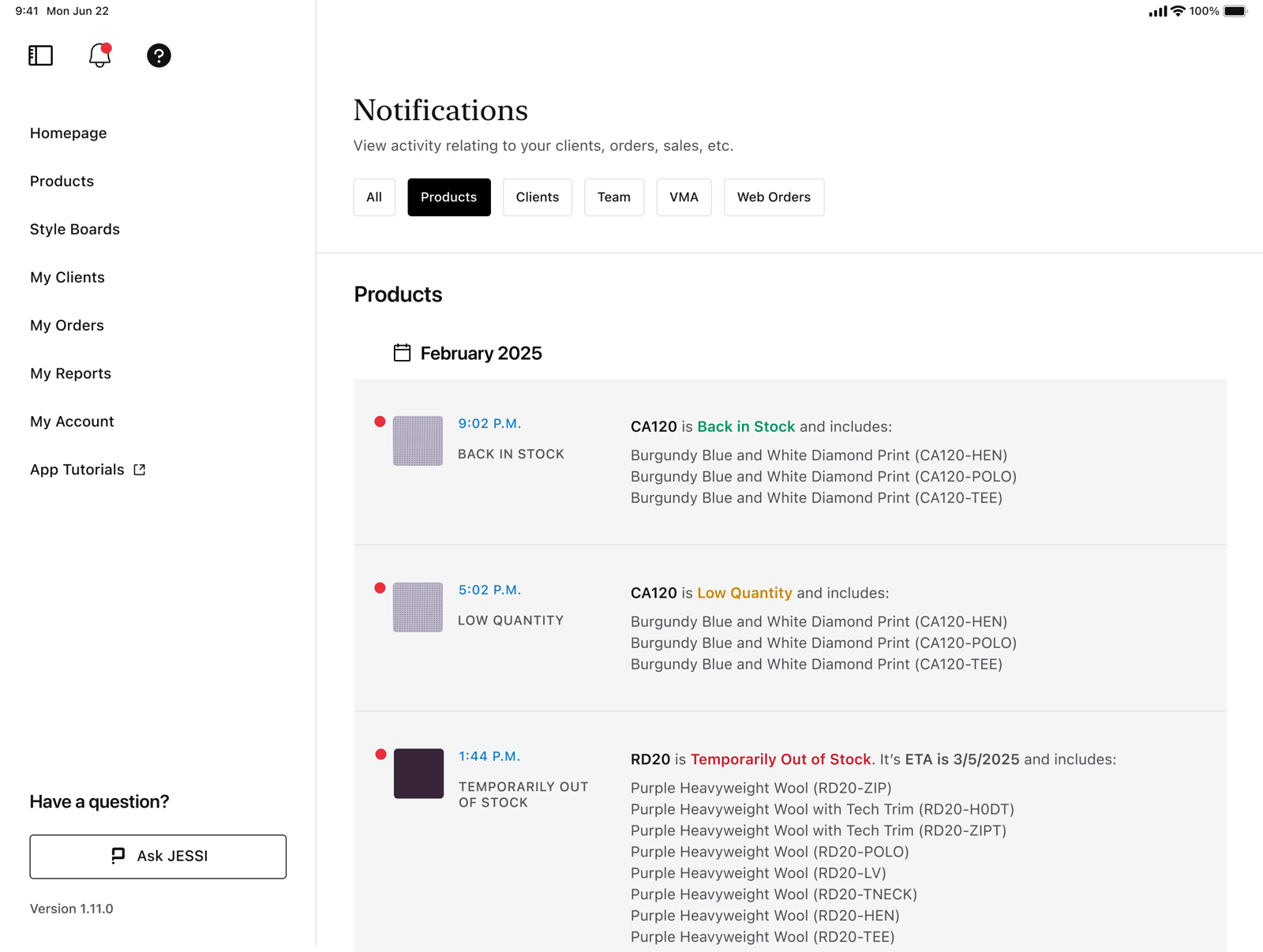
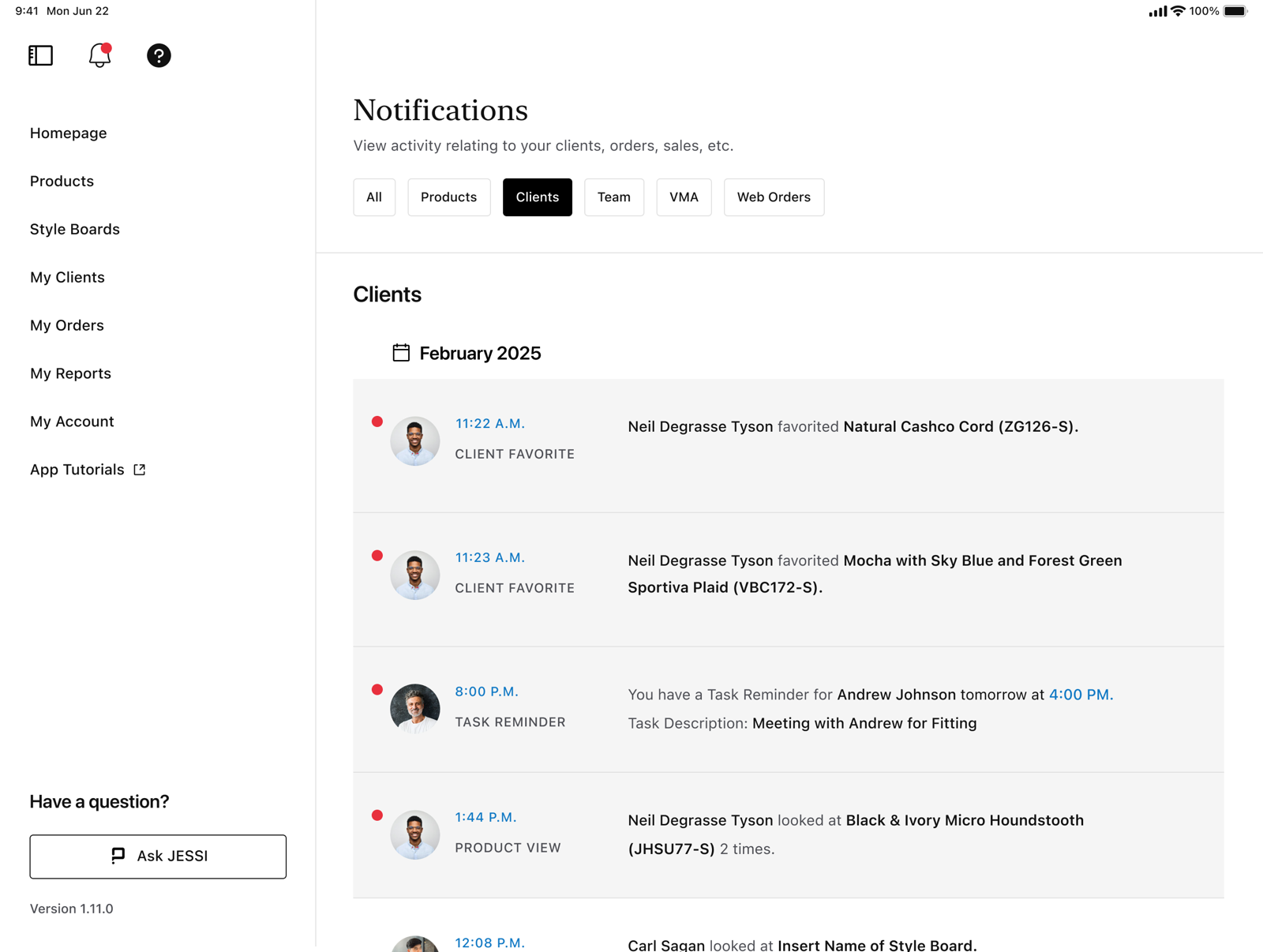
The center filters by category — and each surfaces its own notification types: a product going low or sold out, a new client acquired, a team milestone, a web order. Fifteen-plus types in all.

Product

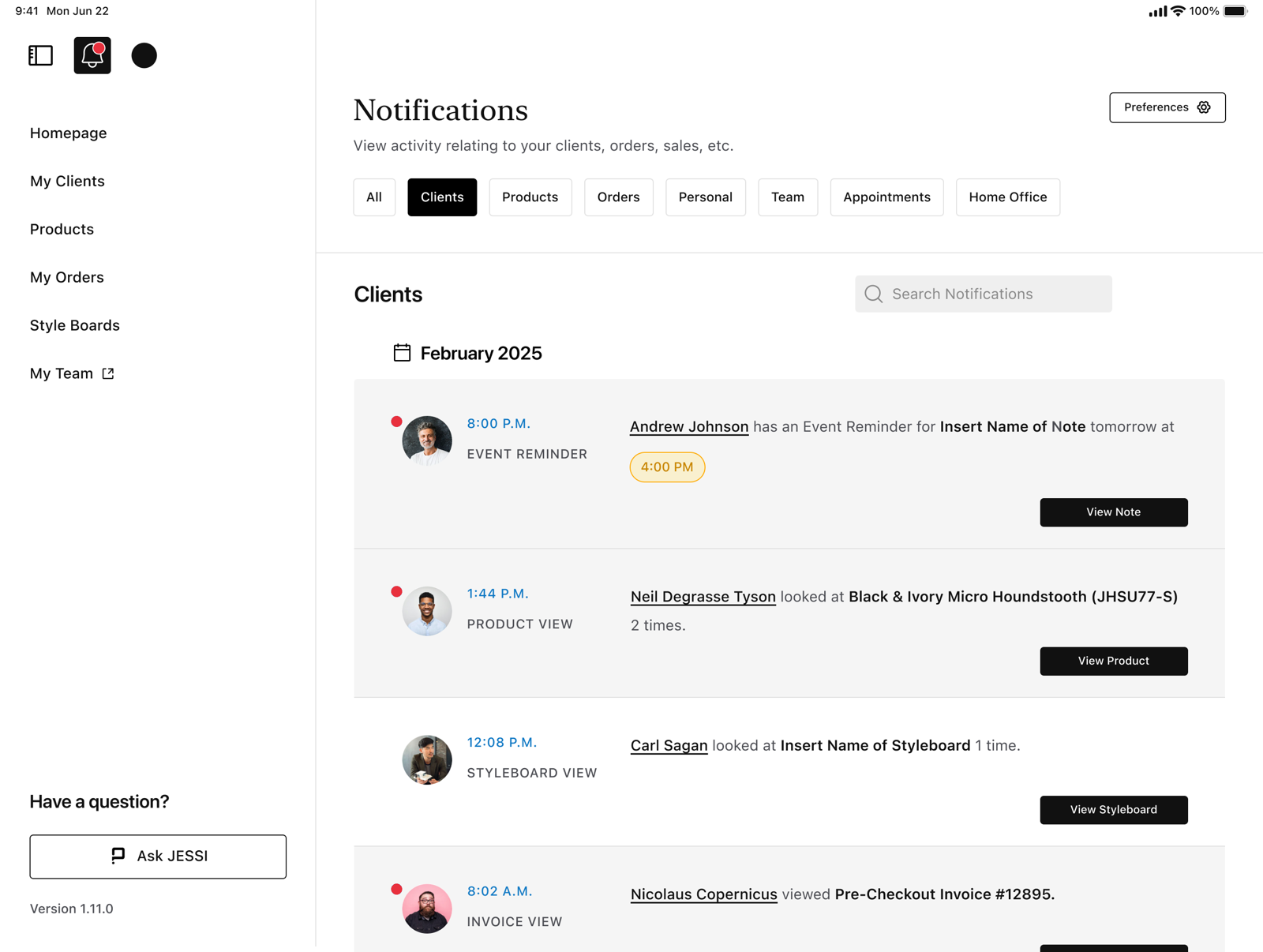
Clients

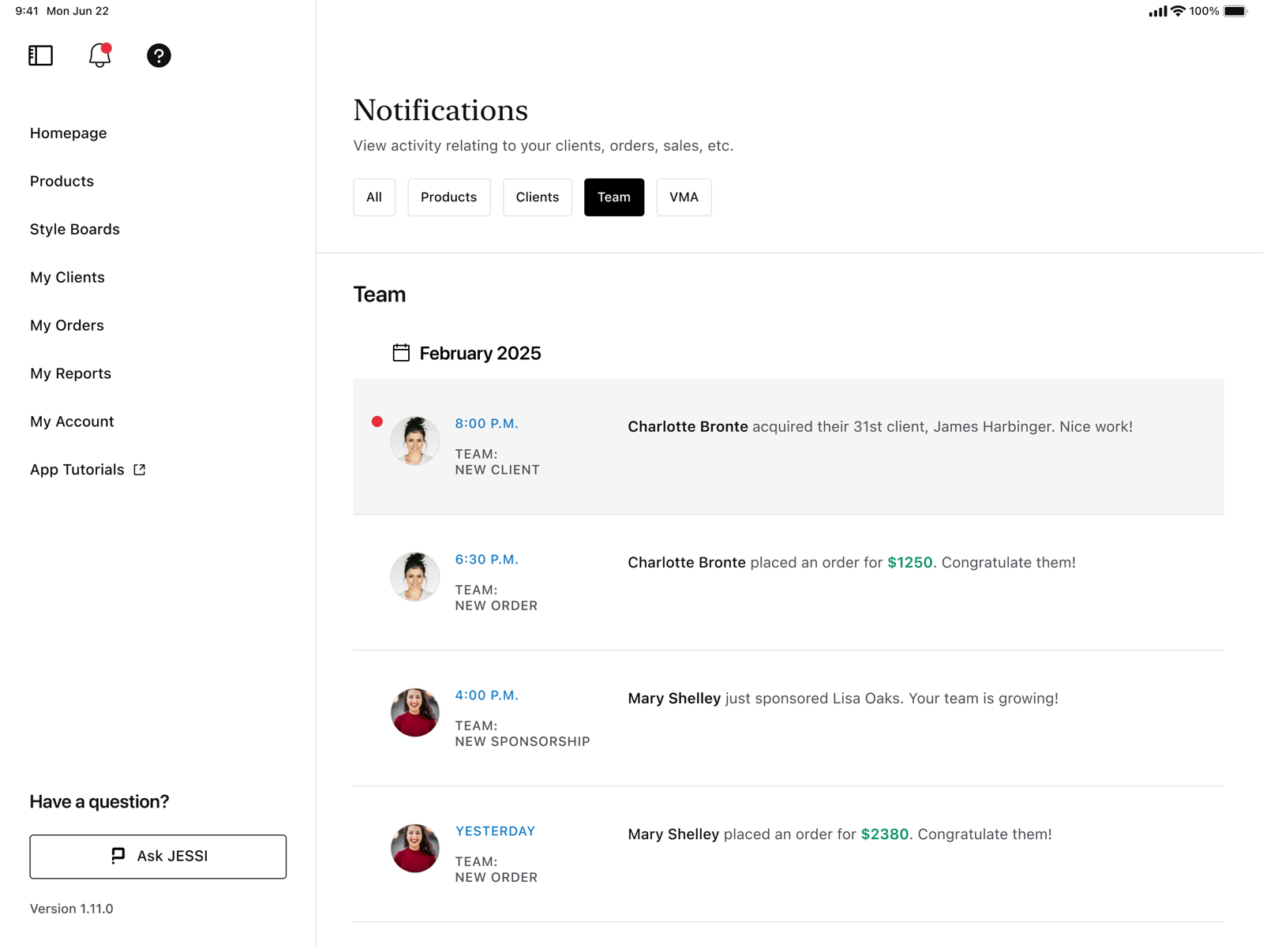
Team

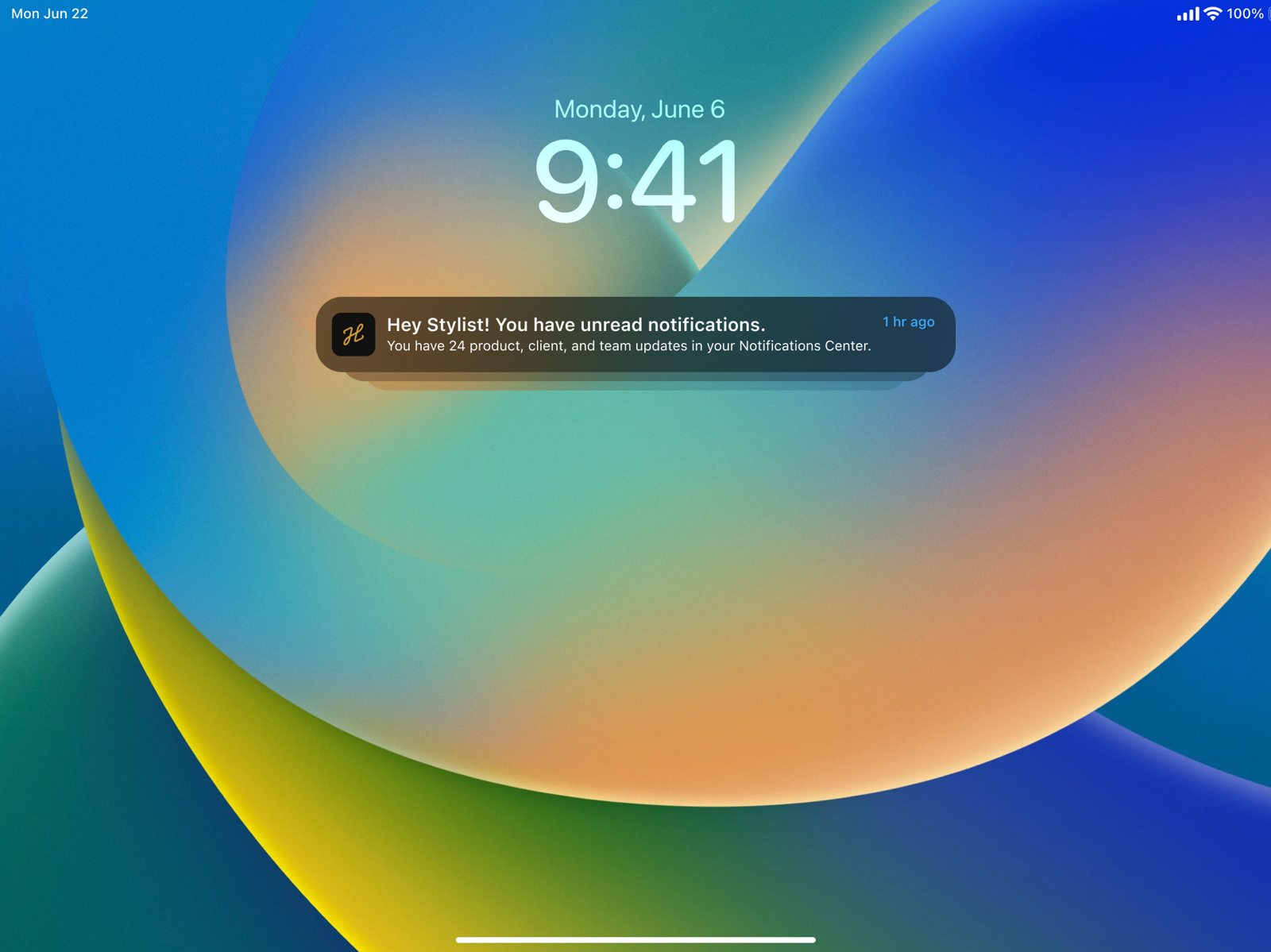
And a lock-screen preview when the app is closed.
V1 went big — eight categories (Personal, Orders, Appointments, Home Office), a “Go to Resolution” button on every row, and granular preferences. V2 kept the system and cut the weight: six categories, a cleaner row, no per-item CTA — so it could actually be built.
Knowing what to cut, and designing so the cut still feels whole, is the part that never shows in the final screens.

V1 — the original vision: eight categories, a CTA on every row.

V2 — what shipped: six categories, pared to the essentials.
Designing a system on paper is the easy part. Designing one a team can actually build — on their timeline, inside their constraints — is the harder, more useful skill.
V2 wasn't a compromise. It was the design that shipped — and the one stylists actually use, on both their devices.